WhatJustHappenedButton
Renders an module type notification when a key moment occurs during a live event.
Overview
Preview State
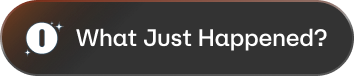
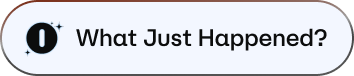
Active State

WhatJustHappenedButton is a React component exported from the SDK that you render alongside your video player. When the SDK detects a key moment in the live event, the component surfaces a notification module — first as a compact pill, then as an expanded card with Dismiss and Explore More actions.
Mount the component once per session. The SDK drives its visibility automatically based on the live event stream. When no key moment is active, the component renders nothing and has no visible footprint.
Method Signature
import { WhatJustHappenedButton } from '@maestro_io/maestro-web-sdk';

<WhatJustHappenedButton
  onEngage={handler}
  onDismiss={handler}
  onFocusRequested={handler}
  onFocusReleased={handler}
  onNavigateOut={handler}
  onAppear={handler}
/>
Props
| Prop | Type | Required | Description |
|---|---|---|---|
onEngage | (event: WjhNote \| null) => void | Yes | Called when the user selects "Explore More." Use this to open the panel and navigate to the event recap. |
onDismiss | (event: WjhNote \| null) => void | Yes | Called when the user dismisses the notification, the auto-dismiss timer expires, or the user arrows out of the overlay. |
onFocusRequested | () => void | No | Called when the module takes over navigation focus. Use this to pause your own focus management. |
onFocusReleased | () => void | No | Called when the module releases navigation focus back to your application. |
onNavigateOut | (direction: 'up' \| 'down' \| 'left' \| 'right') => void | No | Called when the user arrows out of the module. Use the direction value to move native focus to the appropriate host element. |
onAppear | (event: WjhNote) => WjhAppearResponse | No | Called before the module appears. Return { canAppear: boolean; canFocus: boolean } to control whether the module shows and whether it claims navigation focus. |
Types
WjhNote
The data object describing the key moment driving the module. Passed to onEngage, onDismiss, and onAppear.
import type { WjhNote } from "@maestro_io/maestro-web-sdk";
WjhAppearResponse
Returned from the onAppear callback to allow or suppress the module appearance.
import type { WjhAppearResponse } from "@maestro_io/maestro-web-sdk";

interface WjhAppearResponse {
  /** True to allow the overlay to appear; false to suppress it for this event. */
  canAppear: boolean;
  /** True to let the overlay claim navigation focus; false to appear without taking focus. */
  canFocus: boolean;
}
Example
import SDK, {
  WhatJustHappenedButton,
  MaestroPanelType,
} from '@maestro_io/maestro-web-sdk';
import type { WjhNote } from '@maestro_io/maestro-web-sdk';

function VideoPlayer() {
  const showPanelBtnRef = React.useRef<HTMLButtonElement>(null);
  const videoRef = React.useRef<HTMLVideoElement>(null);

  const handleEngage = (event: WjhNote | null) => {
    // Open the panel and switch to the event recap
    const vm = SDK.getMaestroEventViewModel();
    vm.didShowPanel();
    vm.setActivePanel(MaestroPanelType.WHAT_JUST_HAPPENED);
  };

  const handleDismiss = () => {
    // Return focus to the panel button
    showPanelBtnRef.current?.focus();
  };

  const handleNavigateOut = (direction: 'up' | 'down' | 'left' | 'right') => {
    // Route focus based on direction
    if (direction === 'up') {
      showPanelBtnRef.current?.focus();
    } else {
      videoRef.current?.focus();
    }
  };

  return (
    <>
      <video ref={videoRef} />
      <WhatJustHappenedButton
        onEngage={handleEngage}
        onDismiss={handleDismiss}
        onNavigateOut={handleNavigateOut}
      />
    </>
  );
}
Notes
- The
whatJustHappenedpanel must be enabled in your page configuration on maestro.io for the module to appear. - The component is not available in multi-event (multiview) sessions — it renders nothing when more than one event is active.
- You can manually trigger the module from your application by calling
setDataToPanelwith{ whatJustHappened: { triggerModule: true } }. - To open the panel view after the user engages, call
setActivePanelwithMaestroPanelType.WHAT_JUST_HAPPENED.