MaestroKit: PanelControl Component Documentation
The PanelControl is a configurable view component responsible for setting up the interactive navigation bar and panels for a specific channel. Additionally, it permits the passage of a customized admin profile view, which renders through selecting the AdminProfile icon.
Usage
- SwiftUI
- UIKit with AdminProfile UIView
- UIKit with AdminProfile View
import SwiftUI
import MaestroKit

struct ContentView: View {
    @EnvironmentObject var sdk: Maestro
    let channelId: String
    let siteId: String
    let userJwt: String

    var body: some View {
        sdk.panelControl(
            channelId: channelId,
            siteId: siteId,
            userJwt: userJwt,
            panelItems: [.chat],
            hasProfile: true
        ) {
            HStack {
                Text("Custom Admin Profile View")
            }
        }
    }
}

struct ContentView_Previews: PreviewProvider {
    @EnvironmentObject static var maestroSDK: Maestro
    static var previews: some View {
        ContentView(
            channelId: "YOUR_CHANNEL_ID",
            siteId: "YOUR_SITE_ID",
            userJwt: "YOUR_USER_JWT"
        )
        .environmentObject(maestroSDK)
    }
}
import UIKit
import SwiftUI
import MaestroKit

class ViewController: UIViewController {
    var maestroSDK = Maestro()

    override func viewDidLoad() {
        super.viewDidLoad()
        setupNavigationBarAndPanels()
    }

    func setupNavigationBarAndPanels() {

        // Create a custom admin profile view
        let customAdminProfileView = UIView()
        customAdminProfileView.translatesAutoresizingMaskIntoConstraints = false
        customAdminProfileView.backgroundColor = .white

        let customAdminProfileLabel = UILabel()
        customAdminProfileLabel.text = "Custom Admin Profile View"
        customAdminProfileLabel.translatesAutoresizingMaskIntoConstraints = false
        customAdminProfileView.addSubview(customAdminProfileLabel)

        NSLayoutConstraint.activate([
            customAdminProfileLabel.centerXAnchor.constraint(equalTo: customAdminProfileView.centerXAnchor),
            customAdminProfileLabel.centerYAnchor.constraint(equalTo: customAdminProfileView.centerYAnchor)
        ])

        // wrap custom UIKit AdminProfile View with SwiftUI
        let hostingCustomAdminProfileUIKit = UIViewWrapper(uiView: customAdminProfileView)

        // Invoke Maestro's SDK panelControl component and set it to a var
        let panelControlSwiftUView = maestroSDK.panelControl(
            channelId: "YOUR_CHANNEL_ID",
            siteId: "YOUR_SITE_ID",
            userJwt: "YOUR_USER_JWT",
            panelItems: [.chat],
            hasProfile: true,
            profileView: { hostingCustomAdminProfileUIKit }
        )

        let panelControlHostingController = HostingControllerWrapper(rootView: panelControlSwiftUView)
        panelControlHostingController.hostingController.view.translatesAutoresizingMaskIntoConstraints = false
        addChild(panelControlHostingController.hostingController)

        // Set the constraints to position and size for the customAdminProfileView if using UIView
        NSLayoutConstraint.activate([
            panelControlHostingController.hostingController.view.leadingAnchor.constraint(equalTo: view.leadingAnchor),
            panelControlHostingController.hostingController.view.trailingAnchor.constraint(equalTo: view.trailingAnchor),
            panelControlHostingController.hostingController.view.topAnchor.constraint(equalTo: view.topAnchor),
            panelControlHostingController.hostingController.view.bottomAnchor.constraint(equalTo: view.bottomAnchor),

            customAdminProfileView.leadingAnchor.constraint(equalTo: view.leadingAnchor),
            customAdminProfileView.trailingAnchor.constraint(equalTo: view.trailingAnchor),
            customAdminProfileView.topAnchor.constraint(equalTo: view.safeAreaLayoutGuide.topAnchor),
            customAdminProfileView.bottomAnchor.constraint(equalTo: view.bottomAnchor)
        ])
    }
}

// Wrapper to convert UIView to View
struct UIViewWrapper: UIViewRepresentable {
    let uiView: UIView

    func makeUIView(context: Context) -> UIView {
        return uiView
    }

    func updateUIView(_ uiView: UIView, context: Context) {
        // Update the UIView if needed
    }
}

// Wrapper needed to convert the AdminProfile View to UIView
class HostingControllerWrapper<Content: View>: UIView {
    let hostingController: UIHostingController<Content>

    init(rootView: Content) {
        self.hostingController = UIHostingController(rootView: rootView)
        super.init(frame: .zero)

        setupHostingController()
    }

    required init?(coder: NSCoder) {
        fatalError("init(coder:) has not been implemented")
    }

    private func setupHostingController() {
        addSubview(hostingController.view)
    }
}
import UIKit
import SwiftUI
import MaestroKit

class ViewController: UIViewController {
    var maestroSDK = Maestro()

    override func viewDidLoad() {
        super.viewDidLoad()
        setupNavigationBarAndPanels()
    }

    func setupNavigationBarAndPanels() {
        // Invoke Maestro's SDK panelControl component and set it to a var
        let panelControlSwiftUView = maestroSDK.panelControl(
            channelId: "YOUR_CHANNEL_ID",
            siteId: "YOUR_SITE_ID",
            userJwt: "YOUR_USER_JWT",
            panelItems: [.chat],
            hasProfile: true
        ) {

        }

        let panelControlHostingController = HostingControllerWrapper(rootView: panelControlSwiftUView)
        panelControlHostingController.hostingController.view.translatesAutoresizingMaskIntoConstraints = false
        addChild(panelControlHostingController.hostingController)

        // Set the constraints to position and size for the customAdminProfileView if using UIView
        NSLayoutConstraint.activate([
            panelControlHostingController.hostingController.view.leadingAnchor.constraint(equalTo: view.leadingAnchor),
            panelControlHostingController.hostingController.view.trailingAnchor.constraint(equalTo: view.trailingAnchor),
            panelControlHostingController.hostingController.view.topAnchor.constraint(equalTo: view.topAnchor),
            panelControlHostingController.hostingController.view.bottomAnchor.constraint(equalTo: view.bottomAnchor),
        ])
    }
}

// Wrapper needed to convert the AdminProfile View to UIView
class HostingControllerWrapper<Content: View>: UIView {
    let hostingController: UIHostingController<Content>

    init(rootView: Content) {
        self.hostingController = UIHostingController(rootView: rootView)
        super.init(frame: .zero)

        setupHostingController()
    }

    required init?(coder: NSCoder) {
        fatalError("init(coder:) has not been implemented")
    }

    private func setupHostingController() {
        addSubview(hostingController.view)
    }
}
Parameters
The PanelControl view accepts the following parameters:
- channelId (required): The unique ID of the Maestro channel for which you want to display the live stream.
- siteId (required): The unique ID of Maestro's site.
- userJwt (required): User Token
- panelItems (required): An array consisting of the desired panels. Do not pass in duplicate panel. As of now, the only available panel is the chat panel.Example:
panelItems: [.chat] - hasProfile (required): The boolean which determines if the AdminProfile icon is rendered on the navigation bar.
- startingPanel (optional): Determines what panel is rendered first when component is mounted.Example:
startingPanel: .chat - profileView (required): The custom profile view that will be displayed when the AdminProfile icon is selected. If the hasProfile is set to false, then pass in an empty view.SwiftUI Example:UIKit Example:
hasProfile: false, profileView: EmptyView()let emptyView = UIView()
emptyView.backgroundColor = UIColor.clear
hasProfile: false, profileView: emptyView
Behavior
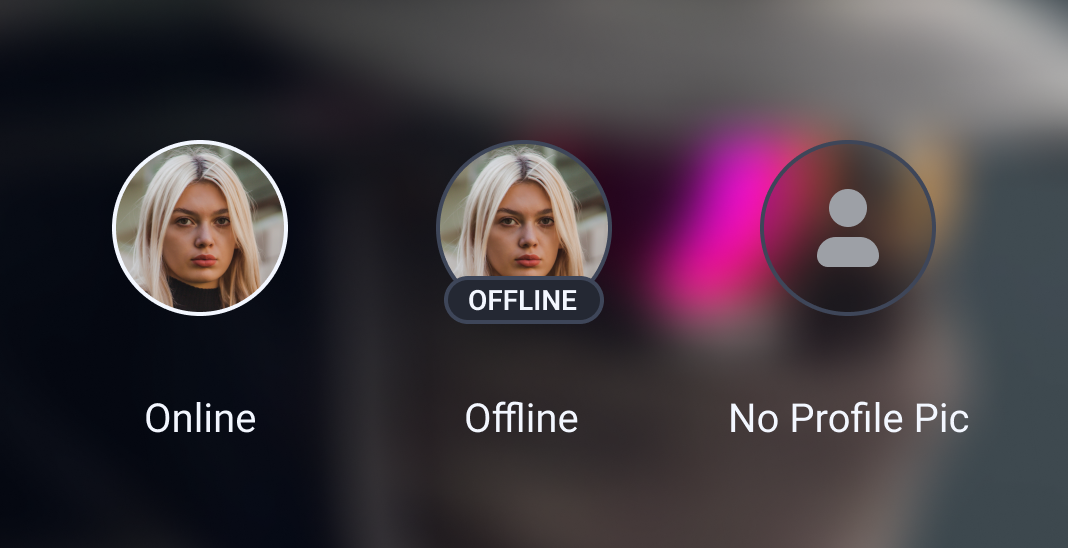
The PanelControl's children components behave in a particular manner based on the channel's state, live or offline. Also, if an admin does not have a profile image, the AdminProfile icon will render a default profile image.
The Different AdminProfile Icon States
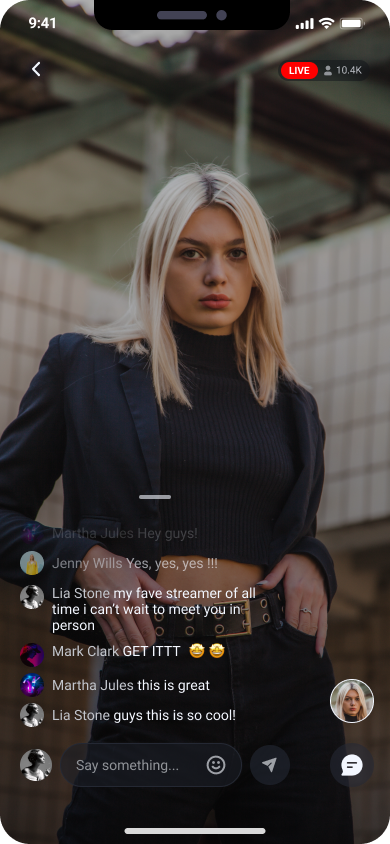
Example channel is live
When the channel is live, the desired panels will render when selected.
Example channel is offline
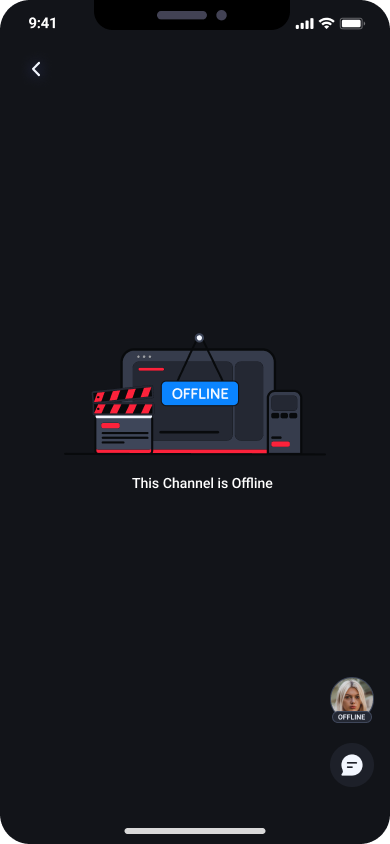
When the channel is offline, the panels are hidden. Also, the AdminProfile icon will contain an offline badge overlay.